Create an app
Get a website folder and a web address on your server.
ServerNest is in development. This guide describes the current preview, and details may change.
- Open Apps and choose New app.
- Pick the server, a short name and your domain.
- Choose what you're building: WordPress, Drupal, Joomla, Laravel, Symfony, any PHP app, or a simple static site.
- Create it. The first app on a server also installs the web server and PHP, which takes a minute or two.
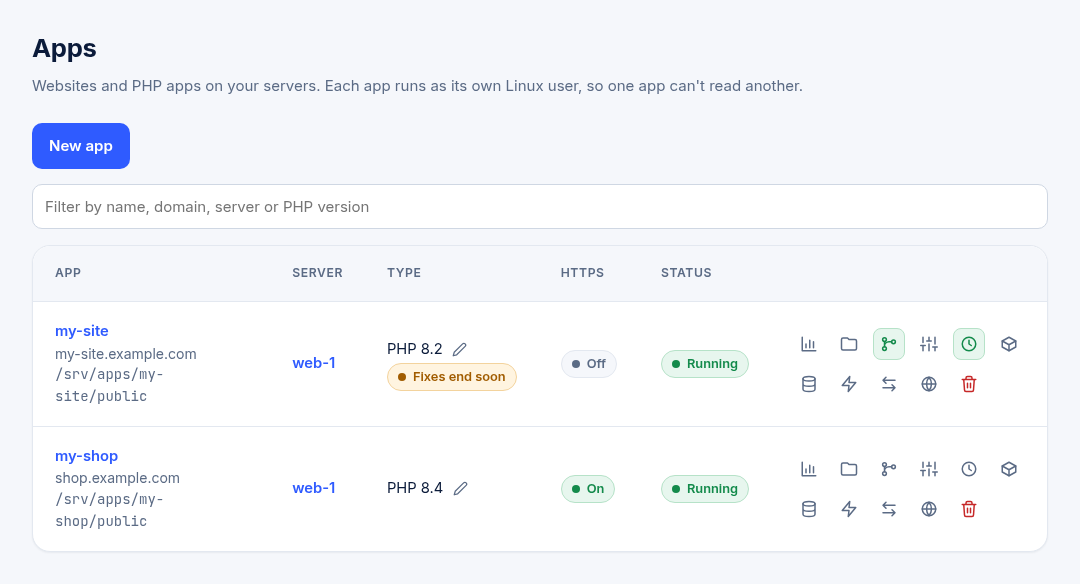
Each app runs as its own Linux user, so one app can't read another's files. Your website files go in the app's public folder.
One-click installs
For WordPress, Drupal, Joomla, Laravel and Symfony, ServerNest can install the app for you, with its database ready. WordPress, Drupal and Joomla also get your admin account. The admin password is shown only once, so save it. Only owners and admins can start an install. One-click Magento is planned for later.
WordPress and Composer updates take a restore point first. ServerNest checks the site afterwards, and you can undo an update that breaks it.
Next: upload your files or deploy from Git.