Add a database
Create a MariaDB, MySQL or PostgreSQL database for an app.
ServerNest is in development. This guide describes the current preview, and details may change.
- Open Databases and choose to create one.
- Pick the app it belongs to, the type, and a name: 3 to 32 lowercase letters, digits and underscores, starting with a letter.
- Wait for it to finish, then copy the connection details into your app.
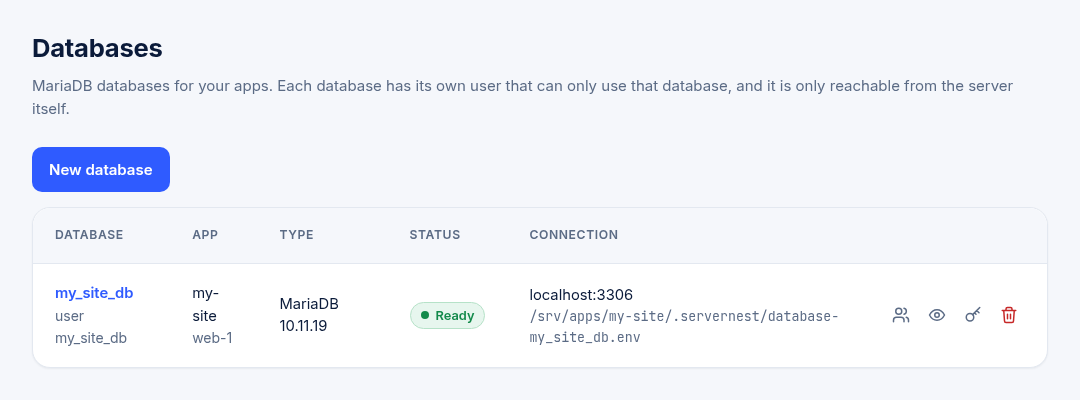
Keep passwords in your app's settings, never in your code. You can change a database password from the Databases page. If you do, update your app as well.
Choose the type and version
A server uses MariaDB or MySQL, and you can choose the version. PostgreSQL can run next to either of them. It works with Laravel, Symfony, Drupal and many PHP apps, but not with WordPress or Joomla.
Extra users
Give a person or a tool its own login, with only the access it needs, from the database's Users page. These users can only connect from the server itself. Your app keeps using its main user.
A database somewhere else
An app can also connect to a database hosted elsewhere. Open the app and choose External database. Only owners and admins can set this up.