Connect a server
Link your own Linux server to ServerNest with one command.
ServerNest is in development. This guide describes the current preview, and details may change.
What the server needs
- A system from the supported list, 64-bit (x86_64).
- At least 1 GB of memory and 2 GB of free disk space.
- Ideally a fresh install, with no cPanel, Plesk or other control panel.
- Access as root or with sudo. ServerNest never asks for your root password.
Steps
- In the dashboard, open Servers and choose Connect a server.
- Give the server a name. The dashboard shows an install command and a one-time code.
- Run the command on your server and enter the code when asked.
- Wait a moment. The server shows as Online.
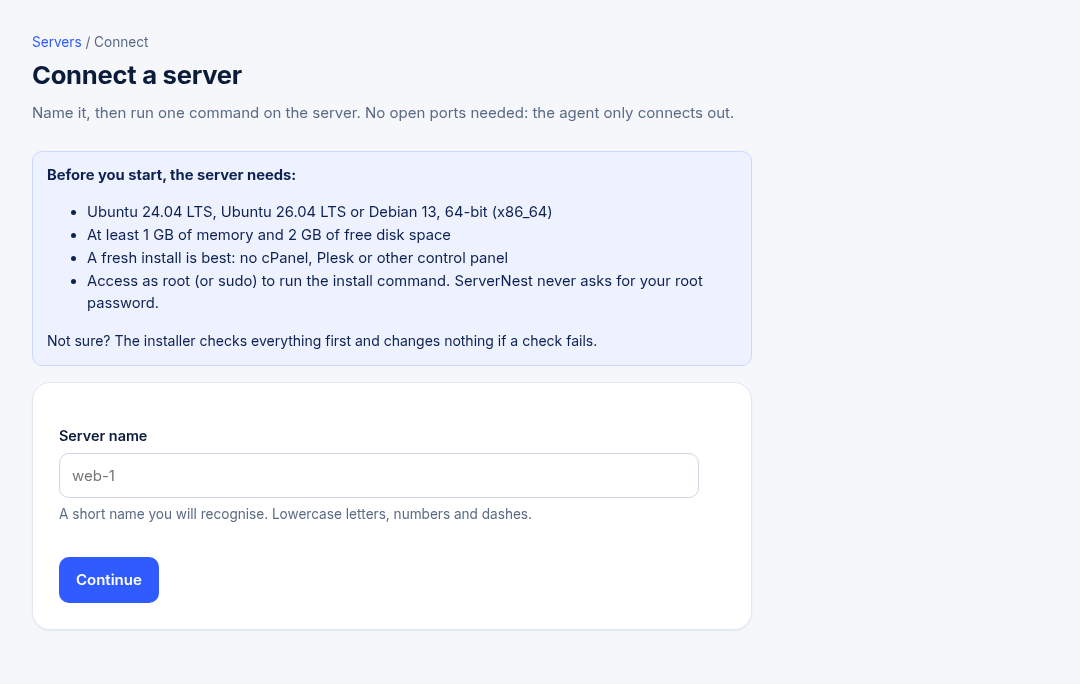
The installer checks the server first and changes nothing if a check fails. The code works once and expires, so you can make a new one from the server's page if you need to.
Firewalls
The agent only makes outgoing connections, so you don't need to open any ports for it. Your websites still need ports 80 and 443 open for visitors.